Many Android users download apps directly from Google Play, but not every Android phone has Google Play Store installed. Some phones may come from a region where Google services are limited. Some tablets, TV boxes, or older Android devices may use a different app store. In other cases, Google Play may be missing, disabled, or not working properly.

If your phone does not have Google Play Store, you still have several ways to download Android apps. However, you need to be more careful because downloading apps outside Google Play can carry more risk. This guide explains the common options, how they work, and what beginners should check before installing apps from other sources.
Why Some Android Phones Do Not Have Google Play Store
Most Android phones sold in many countries include Google Play Store by default. But some devices may not have it for one of these reasons:
-
The phone was made for a market where Google services are not included.
-
The device uses a custom version of Android.
-
Google Play Store was disabled by accident.
-
The phone is very old and no longer supports some Google services.
-
The device is a tablet, TV box, emulator, or special Android device.
-
The phone was reset or modified by a previous user.
Before trying other download methods, first check whether Google Play Store is simply hidden or disabled. Open your phone settings, go to Apps, and search for Google Play Store. If you see it there, it may only need to be enabled or updated.
Option 1: Use Your Phone Brand's App Store
Many Android phone brands have their own app stores. These stores can be a useful alternative if Google Play is not available.
For example, depending on your device, you may see:
-
Samsung Galaxy Store
-
Huawei AppGallery
-
Xiaomi GetApps
-
OPPO App Market
-
Vivo App Store
-
Amazon Appstore
These app stores usually work in a similar way. You open the store, search for the app name, tap Install, and wait for the download to finish. For beginners, this is often safer than downloading random APK files from unknown websites because brand app stores usually have some review and security process.
However, the app selection may be different from Google Play. Some apps may not be available, and some versions may update more slowly.
Option 2: Download APK Files from Trusted Sources
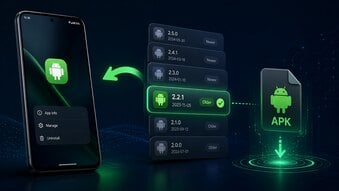
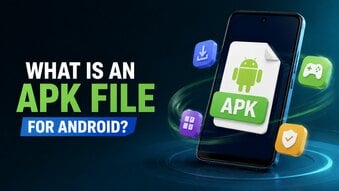
An APK file is the installation file used by Android apps. When you install an app from Google Play, Android handles the APK process in the background. When you download an APK manually, you handle the file yourself.
To install an APK, the general process is:
-
Find a trusted APK source.
-
Download the APK file to your phone.
-
Open the file from your browser or file manager.
-
Allow installation from that source if Android asks.
-
Tap Install.
-
Open the app after installation.
This method gives you more flexibility, but it also requires more caution. Do not download APK files from pages filled with pop-ups, fake buttons, or promises of free premium features. These files can be unsafe, outdated, or modified.
Option 3: Use the App's Official Website
Some companies provide Android app downloads directly from their official website. This can be safer than using unknown APK websites.
For example, if you want to download a messaging app, banking app, browser, or game, check whether the official website offers an Android download page. Make sure the website address is correct and not a copycat site.
This method is especially useful when:
-
The app is not available in your region.
-
The developer offers a direct Android download.
-
You want the latest official version from the app creator.
-
Your device does not support Google Play.
Still, not every app provides APK downloads on its official site. If the website only links back to Google Play, you may need another option.
Option 4: Use a Reliable Alternative App Store
Some users install alternative Android app stores to download apps without Google Play. These stores can provide app listings, updates, and APK files in one place.
When choosing an alternative app store, check:
-
Does it have a good reputation?
-
Does it show developer information?
-
Does it provide app version details?
-
Does it scan apps for security?
-
Does it avoid modified or hacked apps?
-
Does it have too many ads or fake download buttons?
Alternative app stores can be useful, but beginners should avoid downloading from unknown platforms that focus on cracked apps, modded games, or unlocked paid features.
How to Stay Safe When Downloading Apps Without Google Play
When you download apps outside Google Play, safety becomes more important. Before installing anything, check the app name, developer, version, file size, and requested permissions.
Be careful if an app asks for permissions that do not match its purpose. For example, a simple calculator app should not need access to your contacts, SMS messages, or microphone.
You should also avoid apps that promise:
-
Unlimited coins
-
Free diamonds
-
Hacked game features
-
Paid apps for free
-
Unlocked subscriptions
-
No ads forever
-
Mod menus
These offers may look attractive, but they often come with security risks.
Can You Install Google Play Store Manually?
In some cases, users try to install Google Play Store manually. This can be possible on some Android devices, but it is not always simple. Google Play Store also depends on other Google services, such as Google Play Services and Google Services Framework. If these are missing or incompatible, Google Play may not work correctly.
For beginners, manually installing Google Play Store can be confusing. If your device officially supports Google services, it is better to update the system, enable Google Play Store from settings, or contact the device seller. If your device does not officially support Google services, using a trusted alternative app store may be easier.
Conclusion
Downloading apps without Google Play Store is possible, but you need to choose the right method. Brand app stores, official developer websites, and trusted APK sources are better options than random download pages. APK files can help you install apps manually, but they also require caution.
For everyday users, Google Play is still the easiest and safest option when available. If your phone does not have Google Play Store, start with your device's official app store first, then consider official websites or trusted APK sources only when necessary.