Artificial intelligence apps are no longer just experimental tools for tech enthusiasts. In 2026, AI apps became part of daily Android use for students, creators, office workers, video editors, social media users, and even casual phone users. Some apps help generate images or videos, while others assist with writing, research, photo editing, voice generation, or productivity.

The biggest difference now is that AI apps are becoming mobile-first. Many people no longer open a laptop for quick creative tasks because Android AI apps can already handle writing, image generation, editing, summarizing, and brainstorming directly from a phone.
After testing many popular AI tools on Android, these are currently some of the most useful AI apps worth downloading right now.
1. ChatGPT
Still the Most Versatile AI App Overall
ChatGPT remains one of the strongest overall AI apps for Android because it handles so many different tasks well instead of focusing on only one feature.
The app works especially well for:
-
Writing
-
Brainstorming
-
Coding help
-
Homework support
-
Research
-
Translation
-
Planning
-
Image understanding
-
Voice conversations
One reason ChatGPT feels better than many competitors is the conversational flow. The app handles follow-up questions naturally, which makes it useful for longer tasks instead of only quick prompts.
The Android version also performs smoothly during voice conversations, making it feel closer to a real assistant than a traditional chatbot.
For content creators, ChatGPT is especially useful because it can quickly generate:
-
YouTube titles
-
TikTok ideas
-
Blog outlines
-
App descriptions
-
SEO article structures
-
Video scripts
-
Social media captions
The app also supports image uploads, which helps when analyzing screenshots, designs, or photos.
Best For
-
Students
-
Writers
-
YouTubers
-
Android users wanting one all-purpose AI app
Weaknesses
-
Some advanced features require paid plans
-
Less Android system integration compared to Gemini
2. Google Gemini
The Best AI App for Android Integration
Gemini feels different from many AI apps because it is deeply connected to Android and Google's ecosystem. Instead of behaving like a standalone chatbot only, Gemini feels closer to a system-level assistant.
The app integrates well with:
-
Gmail
-
Google Maps
-
Google Drive
-
Calendar
-
YouTube
-
Docs
-
Smart home controls
This makes Gemini extremely useful for productivity and everyday tasks.
For example, Android users can ask Gemini to:
-
Summarize emails
-
Find travel information
-
Organize schedules
-
Explain screenshots
-
Search the web quickly
-
Generate writing drafts
-
Analyze documents
Gemini Live is also becoming one of Google's strongest features. It allows more natural voice interaction, which feels smoother than older voice assistants.
Another major advantage is that Gemini feels optimized for Android hardware. The app performs very smoothly on modern Android phones, especially Pixel devices.
Best For
-
Android power users
-
Productivity
-
Google ecosystem users
-
Voice assistant tasks
Weaknesses
-
Creative writing still feels weaker than ChatGPT in some situations
-
Some premium AI features require subscriptions
3. Claude
One of the Best AI Apps for Writing and Long Conversations
Claude became extremely popular among writers, researchers, and users who prefer more natural long-form conversations. Many users describe Claude as calmer and more structured compared to other AI assistants.
The app performs especially well for:
-
Long writing tasks
-
Research summaries
-
Brainstorming
-
Study notes
-
Article planning
-
Detailed explanations
One area where Claude stands out is readability. The responses often feel more organized and human-like, especially during longer discussions.
For Android users writing blogs, scripts, essays, or business content, Claude is one of the strongest options available.
The app also handles large amounts of text well, which helps when summarizing documents or analyzing long information.
Best For
-
Writers
-
Researchers
-
Students
-
Long-form content creation
Weaknesses
-
Less integrated into Android systems
-
Not as strong for real-time web tasks as Gemini or Perplexity
4. Perplexity
The Best AI App for Research and Fast Information
Perplexity became extremely popular because it combines AI conversation with search engine functionality. Instead of only generating answers, the app focuses heavily on sourced information and web-based research.
That makes it especially useful for Android users who want:
-
Fast factual answers
-
Source citations
-
Research help
-
News summaries
-
Product comparisons
-
Quick learning
The biggest advantage is transparency. Perplexity usually shows where information comes from, which makes the app feel more trustworthy during research tasks.
For students and creators, this becomes extremely useful when quickly verifying information or gathering sources.
The Android app is also lightweight and fast compared to some larger AI tools.
Best For
-
Research
-
News
-
Students
-
Fact-checking
-
Quick information
Weaknesses
-
Less creative personality
-
Not ideal for storytelling or highly creative writing
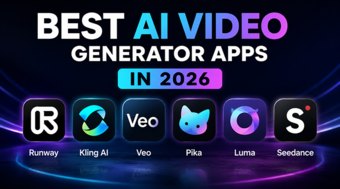
5. Runway
One of the Most Exciting AI Video Apps on Android
AI video generation is becoming one of the biggest trends in mobile AI right now, and Runway remains one of the strongest names in that space.
While many AI apps focus mainly on text, Runway focuses heavily on creative visual content.
Users can create:
-
AI videos
-
Motion effects
-
Cinematic edits
-
Background replacement
-
AI-generated scenes
-
Short social clips
The app became especially popular among TikTok creators, YouTube Shorts creators, and AI filmmakers.
One reason Runway stands out is that the results often look more cinematic compared to simpler mobile AI editors.
Creators commonly use Runway for:
-
Anime-style edits
-
AI transitions
-
Short cinematic videos
-
Social media visuals
-
Concept trailers
-
AI storytelling
The learning curve is slightly higher than standard AI chat apps, but the creative potential is much larger.
Best For
-
Video creators
-
TikTok creators
-
AI filmmaking
-
Social media editing
Weaknesses
-
Some advanced generation tools require subscriptions
-
Rendering can take time on complex projects
Which AI App Is Best for Android?
The answer depends entirely on what kind of user someone is.
Here is the simplest breakdown:
| App | Best For |
|---|---|
| ChatGPT | Overall AI assistant |
| Google Gemini | Android integration |
| Claude | Writing and long conversations |
| Perplexity | Research and search |
| Runway | AI video creation |
Many Android users actually combine multiple AI apps together instead of using only one.
For example:
-
ChatGPT for writing
-
Gemini for phone productivity
-
Perplexity for research
-
Runway for video creation
That combination covers most modern AI workflows directly on a smartphone.